There are a number of project managers today that use Microsoft Project to create and track project plans to keep tasks on schedule. Project is a fine application for small endeavors with one person in charge. However as a project grows and more decision makers are involved, managers need an application that can provide enterprise-wide project management.
On-line Management with Project Server
When coordinating a large venture, basic management tools like Microsoft Project may not serve the manager's needs. It is a standalone application that can be used only on one computer. All project information is in one place and all decisions can be made only at that computer.
Once there is a large endeavor with a management team, this lack of access becomes a problem. What is needed is a project management tool that can be shared company-wide and allow all managers to track their respective tasks without needing to wait for printed reports.
Project Server was designed with exactly that capability in mind. All team members can access the application from anywhere on the company network or over the web. Coordination and communication is easier when everyone is on the same page.
Each Team Member Has a Role
Just because everyone can access the software, that doesn't mean everyone has the same capabilities. Individuals are given permissions appropriate to their role in the plan and in the company.
Project managers use the basic Project Professional application just like they have in the past. However their updates and changes are transmitted to the server where they can be viewed by other managers and incorporated in their plans.
Team members who don't use Project directly can still access the server to see what their tasks are, what the status of the overall plan is, and can send status reports to be used by managers.
Even interested parties not directly involved in completion of the tasks, such as executives or investors, can be given access over the company network or the web so they can monitor the progress. Comprehensive security settings ensure that each person is given needed access without any excess privileges.
Project Server Training
Even experienced users of Microsoft Project will benefit from training on the unique capabilities of Project Server. The enterprise-level features of the software greatly increase the size of the projects that can be handled but may not be obvious to new users. Tasks such as team building, resource substitution, and information pooling can be used more effectively after taking instructor-led courses.
The transition from Project to Project Server is a major step for any business but with guidance and proper planning, it is a move that can be made with a minimum of complication. The added capabilities will be invaluable to any mid-size to large business.
Showing posts with label Software. Show all posts
Showing posts with label Software. Show all posts
Friday, November 28, 2008
SEO Best Software
The best search engine optimization software out there in my experience is the SEO Elite. This software will make your site rank in the top 3 in any keyword search for your niche. Every time someone makes a search on any of the major search engines your website is going to rank in the first page making it the first and last store they're going to visit. You see the way to make your business successful on the Internet is positioning.
The positioning of your brand and/or business will make the difference just as it makes the difference out there on the regular stores in your city. Just as you would position your store in the place where you'd think you'll make more money because of the location and targeted consumers, you need to do the same on the Internet. Make your website the first choice, it will be the first one they'll see once they use any of the major search engines, and make it the last by targeting the right consumers.
I must add that SEO Elite by itself will not make your website rank on the top of the majors search engines, including first page. Something as important as solid knowledge of the fundamentals of SEO helps greatly as good content on your website will too.
Building your site's link popularity involves increasing the number and quality of websites that will link back to yours. SEO Elite will help immensely in this respect. It analyzes backlinks in all the major search engines.
SEO Elite also offers a incredible tool, you can check out your competition's linking strategy. In a matter of minutes, you can find out a website's complete linking strategy as well as any kind of SEO optimization tricks they may be implementing.
The positioning of your brand and/or business will make the difference just as it makes the difference out there on the regular stores in your city. Just as you would position your store in the place where you'd think you'll make more money because of the location and targeted consumers, you need to do the same on the Internet. Make your website the first choice, it will be the first one they'll see once they use any of the major search engines, and make it the last by targeting the right consumers.
I must add that SEO Elite by itself will not make your website rank on the top of the majors search engines, including first page. Something as important as solid knowledge of the fundamentals of SEO helps greatly as good content on your website will too.
Building your site's link popularity involves increasing the number and quality of websites that will link back to yours. SEO Elite will help immensely in this respect. It analyzes backlinks in all the major search engines.
SEO Elite also offers a incredible tool, you can check out your competition's linking strategy. In a matter of minutes, you can find out a website's complete linking strategy as well as any kind of SEO optimization tricks they may be implementing.

Thursday, November 27, 2008
Backing Up Data, An Essential Data Recovery Practice
The majority of people today utilise and therefore by default rely upon computers to go about their daily business with greater ease. Stored computer data will occasionally become corrupted, its an unfortunate fact of life. When this happens unprepared people often spend huge amounts of time getting the problem solved by paying specialists in data recovery or buying software that recovers data. Additionally, in the worst case scenario, not all data may be recovered! If you are prepared these frequently serious problems can be heavily reduced making your life easier.
"Prevention is better than a cure" with regards to computer data problems. By just backing up your data often in a sensible, logical, easy to find location you are able to massively increase your efficiently at resolving a data loss crisis. Time and stress with locating and re-loading your saved data will be far less than if you hadn't taken the short time and effort to produce the back-ups and/ or programe files from the originals.
Files can be backed up onto any of the wide variety of media available today, e.g. CDs, external or internal hard drives, DVDs, tape drives or specifically designed removable media such as the Iomega REV drive. Usage of optical media (e.g. DVD?s, CD?s) is believed to be much less reliable in terms of a back-up. This media is far more prone to surface errors. The advantages and disadvantages (regards capacity/ ease of use, etc) of each particular media type should be chosen with regards to your situation. Importantly each media type will tend to perform efficiently, its best to try and stick to the media type that you find works best.
Many very reliable back-up programmes are in existance, one of the most well known is included with Microsoft Windows back-up software. Microsoft Windows XP users know this programme as NTBackup. If your computer doesn?t already have this installed all you have to do is simply place your Windows CD in your computer disc drive and locate the file called "ValueAdd\MSFT\ntbackup". This is a file can that can then be run in the folder with which it was originally found, i.e. ntbackup.msi. Rapidly this file will produce the back-up software you so require, wizards ever present to help lead you through the file backup and resoration protocol.
With all the important backup software installed and fully functional it is vital that you make use of it frequently. Saving of your work should be done at least once per day ideally. If at all possible a separate back-up drive or disc should be used for every day of the week. This will provide that extra added security and peace of mind, allowing you to concentrate on more pressing issues. The large majority of businesses, from the large to tiny, adopt this basic and also fundamental data loss prevention method, and for a very good reason, it really works and can save a massive amount of stress, time and often vitally, money.
"Prevention is better than a cure" with regards to computer data problems. By just backing up your data often in a sensible, logical, easy to find location you are able to massively increase your efficiently at resolving a data loss crisis. Time and stress with locating and re-loading your saved data will be far less than if you hadn't taken the short time and effort to produce the back-ups and/ or programe files from the originals.
Files can be backed up onto any of the wide variety of media available today, e.g. CDs, external or internal hard drives, DVDs, tape drives or specifically designed removable media such as the Iomega REV drive. Usage of optical media (e.g. DVD?s, CD?s) is believed to be much less reliable in terms of a back-up. This media is far more prone to surface errors. The advantages and disadvantages (regards capacity/ ease of use, etc) of each particular media type should be chosen with regards to your situation. Importantly each media type will tend to perform efficiently, its best to try and stick to the media type that you find works best.
Many very reliable back-up programmes are in existance, one of the most well known is included with Microsoft Windows back-up software. Microsoft Windows XP users know this programme as NTBackup. If your computer doesn?t already have this installed all you have to do is simply place your Windows CD in your computer disc drive and locate the file called "ValueAdd\MSFT\ntbackup". This is a file can that can then be run in the folder with which it was originally found, i.e. ntbackup.msi. Rapidly this file will produce the back-up software you so require, wizards ever present to help lead you through the file backup and resoration protocol.
With all the important backup software installed and fully functional it is vital that you make use of it frequently. Saving of your work should be done at least once per day ideally. If at all possible a separate back-up drive or disc should be used for every day of the week. This will provide that extra added security and peace of mind, allowing you to concentrate on more pressing issues. The large majority of businesses, from the large to tiny, adopt this basic and also fundamental data loss prevention method, and for a very good reason, it really works and can save a massive amount of stress, time and often vitally, money.
Seven Common DoS Attack Methods
Hackers have an armory of methods to pass Denial of Service (DoS) attacks. The following seven sections emphasize the degree of the quandary faced by organizations trying to battle the DoS threat. TippingPoint provides solutions to battle these common methods of DDoS attacks:
<> Vulnerabilities
<> Zombie Staffing
<> Attack Tools
<> Bandwidth Attacks
<> SYN Floods
<> Established Connection Floods
<> Connections-Per-Second Floods
Method 1 : Vulnerabilities
Attackers can effort to collide a service or fundamental operating system in a straight line through a network. These attacks immobilize services by exploiting shock absorber spread out and other accomplishment dodge that exist in defenseless servers. Vulnerability attacks do not want widespread resources or bandwidth to commit; attackers only need to know of the survival of a susceptibility to be able to develop it and cause widespread injure. Once an attacker has control of a vulnerable service, request, or operating system, they abuse the opening to immobilize systems and in the end crash an whole network from within.
Method 2 : Zombie Conscription
The same vulnerabilities used to collide a server allow hackers to change vulnerable PCs into Distributed Denial of Service zombies. Once the hacker develop the susceptibility to increase manage of the system, they plant a backdoor into the system for later use in commiting DDoS attacks. The Trojan or similar disease provides a trail into the system. Once the attacker has the path, they tenuously control the network, making the server a "Zombie" that waits for the given attack authority. Using these zombies, attackers can send a huge number of DoS and DDoS attacks with secrecy. Viruses can also be used for Zombie conscription. For instance, the MyDoom bug was designed to convert PCs into Zombies that attacked SCO and Microsoft at a prearranged time programmed into the virus. Other viruses fit backdoors that let hackers to open coordinated attacks, rising the sharing of the attacks across networks around the sphere. The following figures detail how attackers make and begin these attacks against a network.
Method 3 : Attack Tools
Through zombie recruitment, hackers use secret communication channels to contact and manage their zombie military. They can choose from hundreds of off-the-shelf backdoor programs and tradition tools from websites. These tools and programs begin these attacks to penetrate and control networks as zombie armies to pass additional attacks from within. Once they have the zombie systems, they can use other tools to send a solitary command to all zombies concurrently. In some cases, commands are carried in ICMP or UDP packets that can go around firewalls. In other cases, the zombie "phones home" by making a TCP link to the master. Once the relation is created, the master can manage the Zombie.
The tools used to attack and control systems comprise:
<> Tribe Flood Network (TFN) : Spotlight on Smurf, UDP, SYN, and ICMP reverberation apply for floods.
<> Tribe Flood Network 2000 (TFN2K) : The updated version of TFN.
<> Trinoo : Focuses on UDP floods. Sends UDP packets to chance purpose ports.
The size is configurable.
<> Stacheldraht : Software tool that focuses on TCP, ACK, TCP NULL, HAVOC, DNS floods, and TCP packet floods with random headers.
DDoS Protection tools are growing both in terms of covert channel completion and in DDoS flooding methods. New tools exploit random port numbers or work across IRC. Further, smarter tools cleverly mask flooding packets as lawful service requests and/or bring in a high degree of chance. These improvements make it more and more hard for a port-filtering device to divide attack packets from lawful traffic.
Method 4 : Bandwidth Attacks
When a DDoS attack is opened, it can often be detected as a important change in the arithmetical work of art of the network transfer. For example, a typical system might consist of 80 percent TCP and a 20 percent mix of UDP and ICMP. A change in the arithmetical mix can be a signal of a new attack. For example, the Slammer maggot resulted in a rush of UDP packets, whereas the Welchi worm shaped a flood of ICMP packets. Such surges can be DDoS attacks or so-called zero-day attacks ==> attacks that develop secret vulnerabilities.
Method 5 : SYN Flood
One of the majority common types of DoS attacks is the SYN Flood. This assault can be launched from one or more attacker equipment to put out of action access to a target server. The attack use the device used to found a TCP connection. Every TCP link requires the conclusion of a three-way handclasp before it can pass data:
<> Connection Request : First packet (SYN) sent from the supplicant to the server, preliminary the three-way handclasp
<> Request Acknowledgement : Second packet (SYN+ACK) sent from the server to the requester
<> Connection Complete : Third packet (ACK) sent from the supplicant back to the server, implementation the three-way handshake
The attack consists of a flood of unacceptable SYN packets with spoofed source IP addresses. The spoofed source address causes the target server to react to the SYN with a SYN-ACK to an unwary or absent source machine. The aim then waits for an ACK packet from the source to total the link. The ACK never comes and ties up the connection table with a awaiting connection ask for that by no means completes. The bench will rapidly fill up and devour all obtainable capital with invalid requests. While the number of link entries may differ from one server to another, tables may fill up with only hundreds or thousands of requests. The result is a denial of service since, once a table is full, the target server is unable to service lawful requests. The difficulty with SYN attacks is that each request in separation looks benign. An unacceptable ask for is very difficult to differentiate from a lawful one.
The complexity with SYN assault is that each request in separation looks caring. An invalid request is very hard to differentiate from a lawful one.
Method 6 : Established Connection Flood
An Recognized Connection Flood is an development of the SYN Flood attack that employs a array of zombies to commit a DDoS attack on a aim. Zombies found apparently lawful connections to the end server. By using a large number of zombies, each creating a large number of connections to the target, an attacker can make so many connections that the aim is no longer able to believe to lawful link requests. For example, if a thousand zombies make a thousand connections to a end server, the server have got to run a million open connections. The result is similar to a SYN Flood attack in that it devour server funds, but is even more difficult to sense.
Method 7 : Connections Per Second Floods
Connections Per Second (CPS) Flood attacks flood servers with a high rate of connections from a apparently valid source. In these attacks, an attacker or army of zombies attempts to drain server resources by rapidly setting up and ripping down TCP connections, perhaps begining a request on each link. For example, an attacker strength use his zombie army to frequently obtain the home page from a target web server. The resulting load makes the server tremendously lethargic. visit DDoS Protection
<> Vulnerabilities
<> Zombie Staffing
<> Attack Tools
<> Bandwidth Attacks
<> SYN Floods
<> Established Connection Floods
<> Connections-Per-Second Floods
Method 1 : Vulnerabilities
Attackers can effort to collide a service or fundamental operating system in a straight line through a network. These attacks immobilize services by exploiting shock absorber spread out and other accomplishment dodge that exist in defenseless servers. Vulnerability attacks do not want widespread resources or bandwidth to commit; attackers only need to know of the survival of a susceptibility to be able to develop it and cause widespread injure. Once an attacker has control of a vulnerable service, request, or operating system, they abuse the opening to immobilize systems and in the end crash an whole network from within.
Method 2 : Zombie Conscription
The same vulnerabilities used to collide a server allow hackers to change vulnerable PCs into Distributed Denial of Service zombies. Once the hacker develop the susceptibility to increase manage of the system, they plant a backdoor into the system for later use in commiting DDoS attacks. The Trojan or similar disease provides a trail into the system. Once the attacker has the path, they tenuously control the network, making the server a "Zombie" that waits for the given attack authority. Using these zombies, attackers can send a huge number of DoS and DDoS attacks with secrecy. Viruses can also be used for Zombie conscription. For instance, the MyDoom bug was designed to convert PCs into Zombies that attacked SCO and Microsoft at a prearranged time programmed into the virus. Other viruses fit backdoors that let hackers to open coordinated attacks, rising the sharing of the attacks across networks around the sphere. The following figures detail how attackers make and begin these attacks against a network.
Method 3 : Attack Tools
Through zombie recruitment, hackers use secret communication channels to contact and manage their zombie military. They can choose from hundreds of off-the-shelf backdoor programs and tradition tools from websites. These tools and programs begin these attacks to penetrate and control networks as zombie armies to pass additional attacks from within. Once they have the zombie systems, they can use other tools to send a solitary command to all zombies concurrently. In some cases, commands are carried in ICMP or UDP packets that can go around firewalls. In other cases, the zombie "phones home" by making a TCP link to the master. Once the relation is created, the master can manage the Zombie.
The tools used to attack and control systems comprise:
<> Tribe Flood Network (TFN) : Spotlight on Smurf, UDP, SYN, and ICMP reverberation apply for floods.
<> Tribe Flood Network 2000 (TFN2K) : The updated version of TFN.
<> Trinoo : Focuses on UDP floods. Sends UDP packets to chance purpose ports.
The size is configurable.
<> Stacheldraht : Software tool that focuses on TCP, ACK, TCP NULL, HAVOC, DNS floods, and TCP packet floods with random headers.
DDoS Protection tools are growing both in terms of covert channel completion and in DDoS flooding methods. New tools exploit random port numbers or work across IRC. Further, smarter tools cleverly mask flooding packets as lawful service requests and/or bring in a high degree of chance. These improvements make it more and more hard for a port-filtering device to divide attack packets from lawful traffic.
Method 4 : Bandwidth Attacks
When a DDoS attack is opened, it can often be detected as a important change in the arithmetical work of art of the network transfer. For example, a typical system might consist of 80 percent TCP and a 20 percent mix of UDP and ICMP. A change in the arithmetical mix can be a signal of a new attack. For example, the Slammer maggot resulted in a rush of UDP packets, whereas the Welchi worm shaped a flood of ICMP packets. Such surges can be DDoS attacks or so-called zero-day attacks ==> attacks that develop secret vulnerabilities.
Method 5 : SYN Flood
One of the majority common types of DoS attacks is the SYN Flood. This assault can be launched from one or more attacker equipment to put out of action access to a target server. The attack use the device used to found a TCP connection. Every TCP link requires the conclusion of a three-way handclasp before it can pass data:
<> Connection Request : First packet (SYN) sent from the supplicant to the server, preliminary the three-way handclasp
<> Request Acknowledgement : Second packet (SYN+ACK) sent from the server to the requester
<> Connection Complete : Third packet (ACK) sent from the supplicant back to the server, implementation the three-way handshake
The attack consists of a flood of unacceptable SYN packets with spoofed source IP addresses. The spoofed source address causes the target server to react to the SYN with a SYN-ACK to an unwary or absent source machine. The aim then waits for an ACK packet from the source to total the link. The ACK never comes and ties up the connection table with a awaiting connection ask for that by no means completes. The bench will rapidly fill up and devour all obtainable capital with invalid requests. While the number of link entries may differ from one server to another, tables may fill up with only hundreds or thousands of requests. The result is a denial of service since, once a table is full, the target server is unable to service lawful requests. The difficulty with SYN attacks is that each request in separation looks benign. An unacceptable ask for is very difficult to differentiate from a lawful one.
The complexity with SYN assault is that each request in separation looks caring. An invalid request is very hard to differentiate from a lawful one.
Method 6 : Established Connection Flood
An Recognized Connection Flood is an development of the SYN Flood attack that employs a array of zombies to commit a DDoS attack on a aim. Zombies found apparently lawful connections to the end server. By using a large number of zombies, each creating a large number of connections to the target, an attacker can make so many connections that the aim is no longer able to believe to lawful link requests. For example, if a thousand zombies make a thousand connections to a end server, the server have got to run a million open connections. The result is similar to a SYN Flood attack in that it devour server funds, but is even more difficult to sense.
Method 7 : Connections Per Second Floods
Connections Per Second (CPS) Flood attacks flood servers with a high rate of connections from a apparently valid source. In these attacks, an attacker or army of zombies attempts to drain server resources by rapidly setting up and ripping down TCP connections, perhaps begining a request on each link. For example, an attacker strength use his zombie army to frequently obtain the home page from a target web server. The resulting load makes the server tremendously lethargic. visit DDoS Protection
Fix Computer Freezing
Computer keeps freezing? You may be getting the windows blue screen also known as the blue screen of death (BSOD). Or perhaps your computer freezes up as the most unexpected time and you have to manually restart. Whatever the cause, computer freezing can be quite a pain in the neck. Especially when you are working on something important and it gets lost forever. But in order to fix computer freezing we must get to the root of the problem first.
If you are wondering why does my computer freeze up the answer is simple. The first and perhaps easiest reason to deal with is:
• Running too many programs at once
Often times if we are running too many programs or using programs that eat up a lot of RAM and overload our system's resources. The way to solve this is to either run fewer programs or increase your computer's RAM capability.
The other major cause to stop computer screen freezing is a little more complex. This is:
• Errors in your windows registry
As we install new programs or delete older ones our registry gets stuck with a lot of redundant and corrupted information. The registry is the most vital area of our computers yet our system lacks the ability to fix corrupt registry files internally.
The best way to fix computer freezing is to download a registry repair program. The best registry cleaner will fix corrupt registry files and clean out redundant information that counteracts with computer settings. Registry cleaner software can also take a snapshot of your system and highlight trouble areas while offering solutions to speed up your computer tremendously. I personally use a registry cleaner that can fix computer freezing and performs these other features with just a few clicks of the mouse. Scan your computer for free below.
Sick of your computer freezing up? Want to repair computer errors the easy way? Scan your computer for free and fix corrupt registry problems with the #1 registry cleaner on the internet. After scanning your computer, I promise you will be quite surprised by all the errors on your system.
If you are wondering why does my computer freeze up the answer is simple. The first and perhaps easiest reason to deal with is:
• Running too many programs at once
Often times if we are running too many programs or using programs that eat up a lot of RAM and overload our system's resources. The way to solve this is to either run fewer programs or increase your computer's RAM capability.
The other major cause to stop computer screen freezing is a little more complex. This is:
• Errors in your windows registry
As we install new programs or delete older ones our registry gets stuck with a lot of redundant and corrupted information. The registry is the most vital area of our computers yet our system lacks the ability to fix corrupt registry files internally.
The best way to fix computer freezing is to download a registry repair program. The best registry cleaner will fix corrupt registry files and clean out redundant information that counteracts with computer settings. Registry cleaner software can also take a snapshot of your system and highlight trouble areas while offering solutions to speed up your computer tremendously. I personally use a registry cleaner that can fix computer freezing and performs these other features with just a few clicks of the mouse. Scan your computer for free below.
Sick of your computer freezing up? Want to repair computer errors the easy way? Scan your computer for free and fix corrupt registry problems with the #1 registry cleaner on the internet. After scanning your computer, I promise you will be quite surprised by all the errors on your system.
Live Streaming With the Best Software the World has to Offer
Gigstreams.com is an all new site that provides streaming enthusiast information on the latest and best software the planet has to offer when it comes to live internet streaming. Software for streaming audio and visual content over the Internet is varied. That is why reading reviews in websites such as Gigstream can provide the information you need before installing the software into your computer.
With the advent of the Internet, it has brought a huge amount of traffic that evolved from static text message based web content to a more full flash, rich multimedia content. With this, the multimedia and Internet streaming technology have become an increasingly important building block to many Internet applications, ranging from remote education, digital radio, Internet Protocol TV (IPTV), etc.
www.gigstreams.com , internet users can read reviews and information on the types of streaming software available to users that have been tried and tested by the folks at Gigstreams.com. Each review on the site comes with a screen shot of the software, as well as other added features and benefits that the software has that puts them as among the best.
Users can download each of the software to view movies, TV shows, music, radio channels and even sports such as live football and experience for themselves which software works better for them. The site makes it easier for visitors in finding out the best streaming capabilities by categorizing it into 'Cool Streaming', 'Free Internet TV', 'Music on Demand', 'PPLive', 'Sopcast', and 'Streaming TV'.
Some well known internet streaming softwares that can be found on the website are ZiggyTV, Dish TV, PCTV4ME, PPMate, SopCast, 3WebTotal, and CoolStreaming. Each streaming software has a download link provided to stay users who are interested in that particular software can immediately download by clicking on the link. Each link that is clicked will bring the users to the software's website where they can read in full the capabilities of each software as well as the technical requirements needed for the software to be installed into their computer.
With internet streaming installed in your laptop or PC, you can now enjoy free TV online, get to watch your streaming films on your PC , live football coverage almost anywhere in the world, provided you have a stable internet connection. Getting your scope on the latest is now not confined in front of the TV and at home. Live internet streaming enables users to connect and watch their favorite sitcoms and even live sports coverage even if time zones are not the same. If you are in Africa and would want to watch a live showing of the football in the US, then by using any one of these soft wares can help you get to watch what you want.
About Gigstreams.com: The newly launched Gigstreams.com provides website owners with descriptions of some of the best professional audio and visual streaming software currently available. Professional software is a more desirable path to take over free options as one will be provided with ongoing support and updates, which are an integral part of any web based business.
With the advent of the Internet, it has brought a huge amount of traffic that evolved from static text message based web content to a more full flash, rich multimedia content. With this, the multimedia and Internet streaming technology have become an increasingly important building block to many Internet applications, ranging from remote education, digital radio, Internet Protocol TV (IPTV), etc.
www.gigstreams.com , internet users can read reviews and information on the types of streaming software available to users that have been tried and tested by the folks at Gigstreams.com. Each review on the site comes with a screen shot of the software, as well as other added features and benefits that the software has that puts them as among the best.
Users can download each of the software to view movies, TV shows, music, radio channels and even sports such as live football and experience for themselves which software works better for them. The site makes it easier for visitors in finding out the best streaming capabilities by categorizing it into 'Cool Streaming', 'Free Internet TV', 'Music on Demand', 'PPLive', 'Sopcast', and 'Streaming TV'.
Some well known internet streaming softwares that can be found on the website are ZiggyTV, Dish TV, PCTV4ME, PPMate, SopCast, 3WebTotal, and CoolStreaming. Each streaming software has a download link provided to stay users who are interested in that particular software can immediately download by clicking on the link. Each link that is clicked will bring the users to the software's website where they can read in full the capabilities of each software as well as the technical requirements needed for the software to be installed into their computer.
With internet streaming installed in your laptop or PC, you can now enjoy free TV online, get to watch your streaming films on your PC , live football coverage almost anywhere in the world, provided you have a stable internet connection. Getting your scope on the latest is now not confined in front of the TV and at home. Live internet streaming enables users to connect and watch their favorite sitcoms and even live sports coverage even if time zones are not the same. If you are in Africa and would want to watch a live showing of the football in the US, then by using any one of these soft wares can help you get to watch what you want.
About Gigstreams.com: The newly launched Gigstreams.com provides website owners with descriptions of some of the best professional audio and visual streaming software currently available. Professional software is a more desirable path to take over free options as one will be provided with ongoing support and updates, which are an integral part of any web based business.
DVD Ripper Software
If you are the DVD fans and want to enjoy your favourite movies any where and any time, and the software will help you a lot.
DVDto iPod Ripper & Converter
<> Cucusoft DVD to iPod Converter
Cucusoft DVD to iPod Converter is the DVD to iPod converter which is multifunctional but easy-to-use for both Apple iPod Movie and iPod Video. It can convert almost all kinds of DVD to iPod Movie / iPod Video format. Besides, it supports DVD to MP3 audio conversion, Apple TV, and latest iPod touch and iPod nano.
<> iSofter DVD to iPod Converter
iSofter DVD to iPod Converter is designed to rip and convert DVD to iPod video MP4 format and iPod audio formats including MP3, AAC, and M4A.
<> Avex DVD to iPod Converter
Avex DVD to iPod Converter can converter DVD to iPod MP4 video and adjust video size for playback on iPod and on TV screen as well.
<> PQ DVD to iPod Converter
PQ DVD to iPod Video Converter can convert DVD to iPod movies, Tivo/ DivX/ Xvid / MPEG/ WMV/ AVI/ RealMedia to iPod, etc.
<> Aimersoft DVD to iPod Converter
Aimersoft DVD to iPod Converter can rip and convert DVD to iPod MP4 and iPod MP3 for iPod Touch/Nano/iPod/Classic.
DVD to iPhone Ripper & Converter
<> Avex DVD to iPhone Converter
Avex DVD to iPhone Converter is a professional and easy-to-use software, which can convert DVDs to iPhone movie just in one-click. It can converter DVD to iPhone MP4 video, support H.264 (High quality) and MPEG4 video in MP4, and can adjust video size for playback on iPhone and on TV screen as well.
<> Cucusoft DVD to iPhone Converter
Cucusoft DVD to iPhone Converter can rip DVD to iPhone Video MP4, convert DVD to iPhone MP3 audio, and support DVD to iPhone,DVD to iPod transfer.
<> PQ DVD to iPhone Converter
PQ DVD to iPhone Converter can converter DVD, Tivo, Xvid/DivX, WMV, MPEG, AVI, RealMedia videos to iPhone.
<> Accelerate DVD to iPhone Converter
Accelerate DVD to iPhone Converter can convert almost all kinds of DVD to iPhone video (mp4) format.
<> Aimersoft DVD to iPhone Converter
Aimersoft DVD to iPhone Converter has the features for converting DVD to iPhone MP4, M4V video, ripping DVD audio to iPhone MP3 and M4A audio.
DVD to Zune Ripper & Converter
<> Cucusoft DVD to Zune Converter
The Cucusoft DVD to Zune Converter is the powerful and professional DVD to Zune converter software. It is suitable almost of all type of DVD for Microsoft Zune Video player to play. It supports for Audio Track Selection, various Zune video formats, such .wmv, .cbr and .vbr.
<> Avex DVD to Zune Converter
Avex DVD to Zune Converter uses the Built-in X!-Speed transcode technology, which can make your converter process much faster and easier.
<> dvdXsoft DVD to Zune Converter
dvdXsoft DVD to Zune Converter is suitable for Zune, iPod or PSP devices. It owns the high converter speed, excellent output video quality.
<> 99bytes DVD to Zune / PSP Video Converter
99bytes DVD to Zune / PSP Video Converter can can converter almost of all the DVD to .wmv or .mp4, no matter commercial or not, original or copy.
<> Aplus DVD to Zune Ripper
Aplus DVD to Zune Ripper can convert DVD to Zune/ iPod / iPhone MP4 file, it supports dvd to Zune convert, even copyright protected dvds.
DVD to PSP Ripper & Converter
<> Cucusoft DVD to PSP Converter
Cucusoft DVD to PSP Converter is the superb and professional DVD or video to PSP converter solution. It can convert almost of all kinds of DVD to PSP in just a few steps, and supports various PSP video size, Subtitle Selection, Audio Track Selection, and etc.
<> Avex DVD to PSP Converter
Avex DVD to PSP Converter can converter DVD to PSP in just a few clicks, and support H.264 and MPEG4 video in MP4, include PSP video manager and etc.
<> Daniusoft DVD to PSP Converter
Daniusoft DVD to PSP Converter can transfer DVD to PSP mp4 format, and rip DVD audio to PSP mp3 or wma formats.
<> 99bytes DVD to PSP / iPod Video Converter
99bytes DVD to PSP / iPod Video Convertersupports the converter based on title or chapters, and what you have to do is just a few steps.
<> Xilisoft DVD to PSP Converter
Xilisoft DVD to PSP Converter is designed to convert DVD to PSP MP4, MPEG-4, H.264/PSP AVC Video. It supports DVD to PSP MP3, DVD to PS3 Video MPEG-4.
DVD to 3GP Ripper & Converter
<> Xilisoft DVD to 3GP Converter
Xilisoft DVD to 3GP Converter is a easy-to-use and superb DVD to 3GP converter solution. It can convert DVD to 3GP, 3GPP2, MPEG1/2, MPEG4, WAV, Xvid, RM, and to audio MP3, M4A, RA, AAC with excellent quality, and just a few clicks. It supports high-speed convertion, auto-splits output file, and allows you to select target subtitle and audio track.
<> iSofter DVD to 3GP Converter
iSofter DVD to 3GP Converter is designed for ripping DVD to 3GPP (3G2) and audio formats MP3 with excellent output.
<> Plato DVD to 3GP Converter
Plato DVD to 3GP Converter can help you convert DVD to 3GP/3G2 format easily and quickly. It supports selectable DVD subtitle and Audio Track.
<> Aimersoft DVD to 3GP Converter
Aimersoft DVD to 3GP Converter used to rip DVD to 3GP. It supports all portal player, movie trimming, cropping and effect adjustment.
<> OJOsoft DVD to 3GP Converter
OJOsoft DVD to 3GP Converter can rip or convert DVD to 3GP, 3G2 and MP3 format. It allows you to select DVD titles or chapters to rip.
DVD Ripper & Converter
<> iSofter DVD Ripper Platinum
iSofter DVD Ripper contains the DVD backup feature, and it can converter DVD to AVI, DivX, XviD, VCD, WMV, MPEG4 format video files, and it supports custom watermark, DVD split by chapters, Size or Custom Time, and etc.
<> Wondershare DVD Ripper Platinum
Wondershare DVD Ripper can rip DVD to almost all video and audio formats such as MP4, M4V, AVI, WMV, MOV, 3GP, 3G2, MPG, MPEG, FLV, WMA, etc.
<> Aimersoft DVD Ripper
Aimersoft DVD Ripper allows you to converter DVD to AVI, MP4, WMV, MOV, MPG, MPEG, 3GP, 3GPP, MPG, ASF, FLV, VOB, WMA, M4A, MP3, etc.
<> Xilisoft DVD Ripper Platinum
Xilisoft DVD Ripper Platinum can rip DVD to AVI, MPEG4, WMV, DivX, RM, MOV, XviD, 3GP, FLV, SWF, MP3, WMA, WAV, M4A, AAC, AC3, etc.
<> Plato DVD Ripper Professional
Plato DVD Ripper Professional is designed to rip dvd to avi , divx, mpeg, Apple iPod, iPhone, Apple TV MP4 file, Youtube FLV file, Sony PSP MP4 and etc.
DVD to Audio Ripper & Converter
<> Aimersoft DVD Audio Ripper
Aimersoft DVD Audio Ripper is the superb and easy-to-use DVD audio ripper program which can rip DVD audio to MP3, WAV, AAC, AC3, WMA and M4A formats.
<> iSofter DVD-Audio Ripper Deluxe
iSofter DVD Audio Ripper Deluxe can rip DVD audio to MP3 or WAV, WMA format simply and easily. It supplies you the external codec, vob Scan, and etc.
<> ImTOO DVD Audio Ripper
DVD Audio Ripper can extract and rip DVD to MP3, WMA, WAV, AAC, AC3, OGG, RA and AU formats.
<> Magicbit DVD to Audio Ripper
Magicbit DVD to Audio Ripper is designed for extracting and ripping DVD to MP3, WAV, WMA, AAC, AC3, OGG, RA.
<> Wondershare DVD Audio Ripper
Wondershare DVD Audio Ripper can rip audio from DVD to MP3, WAV, AAC, AC3, WMA and M4A, etc.
DVDto iPod Ripper & Converter
<> Cucusoft DVD to iPod Converter
Cucusoft DVD to iPod Converter is the DVD to iPod converter which is multifunctional but easy-to-use for both Apple iPod Movie and iPod Video. It can convert almost all kinds of DVD to iPod Movie / iPod Video format. Besides, it supports DVD to MP3 audio conversion, Apple TV, and latest iPod touch and iPod nano.
<> iSofter DVD to iPod Converter
iSofter DVD to iPod Converter is designed to rip and convert DVD to iPod video MP4 format and iPod audio formats including MP3, AAC, and M4A.
<> Avex DVD to iPod Converter
Avex DVD to iPod Converter can converter DVD to iPod MP4 video and adjust video size for playback on iPod and on TV screen as well.
<> PQ DVD to iPod Converter
PQ DVD to iPod Video Converter can convert DVD to iPod movies, Tivo/ DivX/ Xvid / MPEG/ WMV/ AVI/ RealMedia to iPod, etc.
<> Aimersoft DVD to iPod Converter
Aimersoft DVD to iPod Converter can rip and convert DVD to iPod MP4 and iPod MP3 for iPod Touch/Nano/iPod/Classic.
DVD to iPhone Ripper & Converter
<> Avex DVD to iPhone Converter
Avex DVD to iPhone Converter is a professional and easy-to-use software, which can convert DVDs to iPhone movie just in one-click. It can converter DVD to iPhone MP4 video, support H.264 (High quality) and MPEG4 video in MP4, and can adjust video size for playback on iPhone and on TV screen as well.
<> Cucusoft DVD to iPhone Converter
Cucusoft DVD to iPhone Converter can rip DVD to iPhone Video MP4, convert DVD to iPhone MP3 audio, and support DVD to iPhone,DVD to iPod transfer.
<> PQ DVD to iPhone Converter
PQ DVD to iPhone Converter can converter DVD, Tivo, Xvid/DivX, WMV, MPEG, AVI, RealMedia videos to iPhone.
<> Accelerate DVD to iPhone Converter
Accelerate DVD to iPhone Converter can convert almost all kinds of DVD to iPhone video (mp4) format.
<> Aimersoft DVD to iPhone Converter
Aimersoft DVD to iPhone Converter has the features for converting DVD to iPhone MP4, M4V video, ripping DVD audio to iPhone MP3 and M4A audio.
DVD to Zune Ripper & Converter
<> Cucusoft DVD to Zune Converter
The Cucusoft DVD to Zune Converter is the powerful and professional DVD to Zune converter software. It is suitable almost of all type of DVD for Microsoft Zune Video player to play. It supports for Audio Track Selection, various Zune video formats, such .wmv, .cbr and .vbr.
<> Avex DVD to Zune Converter
Avex DVD to Zune Converter uses the Built-in X!-Speed transcode technology, which can make your converter process much faster and easier.
<> dvdXsoft DVD to Zune Converter
dvdXsoft DVD to Zune Converter is suitable for Zune, iPod or PSP devices. It owns the high converter speed, excellent output video quality.
<> 99bytes DVD to Zune / PSP Video Converter
99bytes DVD to Zune / PSP Video Converter can can converter almost of all the DVD to .wmv or .mp4, no matter commercial or not, original or copy.
<> Aplus DVD to Zune Ripper
Aplus DVD to Zune Ripper can convert DVD to Zune/ iPod / iPhone MP4 file, it supports dvd to Zune convert, even copyright protected dvds.
DVD to PSP Ripper & Converter
<> Cucusoft DVD to PSP Converter
Cucusoft DVD to PSP Converter is the superb and professional DVD or video to PSP converter solution. It can convert almost of all kinds of DVD to PSP in just a few steps, and supports various PSP video size, Subtitle Selection, Audio Track Selection, and etc.
<> Avex DVD to PSP Converter
Avex DVD to PSP Converter can converter DVD to PSP in just a few clicks, and support H.264 and MPEG4 video in MP4, include PSP video manager and etc.
<> Daniusoft DVD to PSP Converter
Daniusoft DVD to PSP Converter can transfer DVD to PSP mp4 format, and rip DVD audio to PSP mp3 or wma formats.
<> 99bytes DVD to PSP / iPod Video Converter
99bytes DVD to PSP / iPod Video Convertersupports the converter based on title or chapters, and what you have to do is just a few steps.
<> Xilisoft DVD to PSP Converter
Xilisoft DVD to PSP Converter is designed to convert DVD to PSP MP4, MPEG-4, H.264/PSP AVC Video. It supports DVD to PSP MP3, DVD to PS3 Video MPEG-4.
DVD to 3GP Ripper & Converter
<> Xilisoft DVD to 3GP Converter
Xilisoft DVD to 3GP Converter is a easy-to-use and superb DVD to 3GP converter solution. It can convert DVD to 3GP, 3GPP2, MPEG1/2, MPEG4, WAV, Xvid, RM, and to audio MP3, M4A, RA, AAC with excellent quality, and just a few clicks. It supports high-speed convertion, auto-splits output file, and allows you to select target subtitle and audio track.
<> iSofter DVD to 3GP Converter
iSofter DVD to 3GP Converter is designed for ripping DVD to 3GPP (3G2) and audio formats MP3 with excellent output.
<> Plato DVD to 3GP Converter
Plato DVD to 3GP Converter can help you convert DVD to 3GP/3G2 format easily and quickly. It supports selectable DVD subtitle and Audio Track.
<> Aimersoft DVD to 3GP Converter
Aimersoft DVD to 3GP Converter used to rip DVD to 3GP. It supports all portal player, movie trimming, cropping and effect adjustment.
<> OJOsoft DVD to 3GP Converter
OJOsoft DVD to 3GP Converter can rip or convert DVD to 3GP, 3G2 and MP3 format. It allows you to select DVD titles or chapters to rip.
DVD Ripper & Converter
<> iSofter DVD Ripper Platinum
iSofter DVD Ripper contains the DVD backup feature, and it can converter DVD to AVI, DivX, XviD, VCD, WMV, MPEG4 format video files, and it supports custom watermark, DVD split by chapters, Size or Custom Time, and etc.
<> Wondershare DVD Ripper Platinum
Wondershare DVD Ripper can rip DVD to almost all video and audio formats such as MP4, M4V, AVI, WMV, MOV, 3GP, 3G2, MPG, MPEG, FLV, WMA, etc.
<> Aimersoft DVD Ripper
Aimersoft DVD Ripper allows you to converter DVD to AVI, MP4, WMV, MOV, MPG, MPEG, 3GP, 3GPP, MPG, ASF, FLV, VOB, WMA, M4A, MP3, etc.
<> Xilisoft DVD Ripper Platinum
Xilisoft DVD Ripper Platinum can rip DVD to AVI, MPEG4, WMV, DivX, RM, MOV, XviD, 3GP, FLV, SWF, MP3, WMA, WAV, M4A, AAC, AC3, etc.
<> Plato DVD Ripper Professional
Plato DVD Ripper Professional is designed to rip dvd to avi , divx, mpeg, Apple iPod, iPhone, Apple TV MP4 file, Youtube FLV file, Sony PSP MP4 and etc.
DVD to Audio Ripper & Converter
<> Aimersoft DVD Audio Ripper
Aimersoft DVD Audio Ripper is the superb and easy-to-use DVD audio ripper program which can rip DVD audio to MP3, WAV, AAC, AC3, WMA and M4A formats.
<> iSofter DVD-Audio Ripper Deluxe
iSofter DVD Audio Ripper Deluxe can rip DVD audio to MP3 or WAV, WMA format simply and easily. It supplies you the external codec, vob Scan, and etc.
<> ImTOO DVD Audio Ripper
DVD Audio Ripper can extract and rip DVD to MP3, WMA, WAV, AAC, AC3, OGG, RA and AU formats.
<> Magicbit DVD to Audio Ripper
Magicbit DVD to Audio Ripper is designed for extracting and ripping DVD to MP3, WAV, WMA, AAC, AC3, OGG, RA.
<> Wondershare DVD Audio Ripper
Wondershare DVD Audio Ripper can rip audio from DVD to MP3, WAV, AAC, AC3, WMA and M4A, etc.
Wednesday, November 26, 2008
DirectX 11 to Windows 7 !!
New versions of Windows have featured new versions of DirectX, the 3D audio and graphics family of APIs, and it now appears that Windows 7 will be no exception. According to PC Games Hardware, Microsoft's Ben Basaric, Product Marketing Manager Windows, says that Redmond will be bundling DirectX 11 with Windows 7, after all. Earlier this week, PCGH had reported that the pairing of DirectX 11 and Windows 7 was "unlikely."
So, what's new in DirectX 11? As we reported this summer, DX 11 will include compute shader technology, enabling the GPU to perform operations other than 3D graphics; better multi-core resource handling; more efficient utilization of the processing pipeline; hardware tesselation support for more detailed 3D models.
When can you expect to buy DirectX 11-compliant GPUs? AMD says its first DirectX 11 parts will be available in late 2009 - right about the time Windows 7 is expected to arrive. New operating system and new graphics hardware? Hopefully, that's a recipe for more realistic 3D graphics than ever before. If Microsoft and OEMs continue to work as closely as the Engineering Windows 7 blog suggests, that's much more likely than a repeat of the poorly handled rollout of Vista-ready hardware at Vista's introduction.
Although Gamefest is entirely developer-centric, there's still plenty to interest those aforementioned groups, and thus our plan with this article is to sift through the mass of information now available regarding DirectX 11, pick out the big-hitting changes worthy of discussion, and bring them to you at a relatively high level to give you all an early understanding of what the API is setting out to do, and the kind of features and functionality you can expect in the next couple of years from both your games and graphics boards. Sound interesting? You bet it does, so let's dive straight in.
So, what's new in DirectX 11? As we reported this summer, DX 11 will include compute shader technology, enabling the GPU to perform operations other than 3D graphics; better multi-core resource handling; more efficient utilization of the processing pipeline; hardware tesselation support for more detailed 3D models.
When can you expect to buy DirectX 11-compliant GPUs? AMD says its first DirectX 11 parts will be available in late 2009 - right about the time Windows 7 is expected to arrive. New operating system and new graphics hardware? Hopefully, that's a recipe for more realistic 3D graphics than ever before. If Microsoft and OEMs continue to work as closely as the Engineering Windows 7 blog suggests, that's much more likely than a repeat of the poorly handled rollout of Vista-ready hardware at Vista's introduction.
Although Gamefest is entirely developer-centric, there's still plenty to interest those aforementioned groups, and thus our plan with this article is to sift through the mass of information now available regarding DirectX 11, pick out the big-hitting changes worthy of discussion, and bring them to you at a relatively high level to give you all an early understanding of what the API is setting out to do, and the kind of features and functionality you can expect in the next couple of years from both your games and graphics boards. Sound interesting? You bet it does, so let's dive straight in.
Internet Security - How To Avoid Being Infected With Spyware
Spyware is more than just annoying - it can cause other programs to not work properly and can cause your computer to become quite unstable. Not to mention the privacy issues it brings up.
Spyware is often installed without your knowledge or consent and in many cases can't be removed from your computer without specialized software tools. When the people that distribute it need to resort to tricking you into installing it, there's obviously very little there to warrant your trust.
The first line of defense against spyware is to be careful installing software. Know what's being downloaded. A large percentage of freeware or shareware programs have spyware embedded in them. Sometimes that's disclosed in the user agreement, but often not.
Check for "spyware free" guarantees on software you download. Obviously, anyone can say something is spyware free even when it isn't, but if a website has gone to the trouble to say so, it is more likely to be safe than if they hadn't.
How can you tell if you have spyware on your system? You may see pop-up advertisements even when you aren't browsing the web. Your homepage may have been changed without your consent. New toolbars are installed on your web browser which you didn't request. Your computer may be sluggish or mysteriously reboot on its own. Though, the last effect is usually a virus.
If you do get infected with spyware, there are ways to get rid of it. A number of companies make software designed to get rid of it. These programs will scan your computer and check through their database of known spyware for any matches. These databases get updated frequently as new forms of spyware are found.
Some of these programs are free while others will cost. The paid versions sometimes have additional features, such as automatic scheduled scans. None of them are 100% foolproof however, so it's a good idea to run more than one of them.
Some kinds of spyware are notoriously difficult to get rid of. They may make changes to your Windows files that help them hide from the scanners. On occasion, you may need to delete them manually to be sure they're gone.
Obviously, this is something that you should only attempt if you are quite knowledgeable. You wouldn't want to remove something that is critical for your computer to operate.
Once the spyware has been removed from your system, you should run scans on a regular basis to keep it clean. Whether you do this manually or use a program that does it automatically on a schedule is up to you (and your pocketbook).
And, of course, beware those tempting looking free offers. You may get more than you bargained for.
Spyware is often installed without your knowledge or consent and in many cases can't be removed from your computer without specialized software tools. When the people that distribute it need to resort to tricking you into installing it, there's obviously very little there to warrant your trust.
The first line of defense against spyware is to be careful installing software. Know what's being downloaded. A large percentage of freeware or shareware programs have spyware embedded in them. Sometimes that's disclosed in the user agreement, but often not.
Check for "spyware free" guarantees on software you download. Obviously, anyone can say something is spyware free even when it isn't, but if a website has gone to the trouble to say so, it is more likely to be safe than if they hadn't.
How can you tell if you have spyware on your system? You may see pop-up advertisements even when you aren't browsing the web. Your homepage may have been changed without your consent. New toolbars are installed on your web browser which you didn't request. Your computer may be sluggish or mysteriously reboot on its own. Though, the last effect is usually a virus.
If you do get infected with spyware, there are ways to get rid of it. A number of companies make software designed to get rid of it. These programs will scan your computer and check through their database of known spyware for any matches. These databases get updated frequently as new forms of spyware are found.
Some of these programs are free while others will cost. The paid versions sometimes have additional features, such as automatic scheduled scans. None of them are 100% foolproof however, so it's a good idea to run more than one of them.
Some kinds of spyware are notoriously difficult to get rid of. They may make changes to your Windows files that help them hide from the scanners. On occasion, you may need to delete them manually to be sure they're gone.
Obviously, this is something that you should only attempt if you are quite knowledgeable. You wouldn't want to remove something that is critical for your computer to operate.
Once the spyware has been removed from your system, you should run scans on a regular basis to keep it clean. Whether you do this manually or use a program that does it automatically on a schedule is up to you (and your pocketbook).
And, of course, beware those tempting looking free offers. You may get more than you bargained for.
Folder Guard
Folder Guard® is a powerful computer security software that you can use to control access to files, folders, and other Windows resources, such as Control Panel, Start Menu, and so on. You can use Folder Guard to lock your personal files and folders with passwords, to stop other users from peeking into your records. You can even completely hide your private folders from virtually all applications, and such folders would remain invisible until you enter a valid password. You can also protect sensitive system files from modification or destruction, disable access to the removable drives, restrict access to Control Panel, and more.

Why should you choose Folder Guard:
Folder Guard lets you password protect your files and folders.
You can protect with password virtually any folder or file, allowing only the authorized users to open the protected files or folders. You can protect an unlimited number of files and folders, each with its own password, or you can use the Master Password of Folder Guard to unprotect them all at once.
Folder Guard can hide your personal folders from other users.
You can set up Folder Guard to hide your private folders (or make them appear empty). The folder would be hidden from virtually any program, including Windows Explorer, Office, MS-DOS programs, etc.
Folder Guard can restrict access to Control Panel, Start Menu, Desktop, etc.
You can set up Folder Guard to allow only certain users to change the computer settings with Control Panel, while denying that to other users. You can control access to various settings of Start Menu, Desktop, Taskbar, and other Windows resources. You can remove the Run and Search commands on the Start menu, hide specific drives, lock the Internet settings, and more.
Folder Guard can protect access to the floppy, CD-ROM and other removable drives
You can configure Folder Guard to allow or deny access to the removable drives, restricting the user's ability to run or install unauthorized programs on your computer.
Folder Guard is suitable for a wide range of the computer security tasks.
You can stop other users of your computer from peeking into your personal files. You can protect the system files and folders from destruction by cyber-vandals. You can allow specific users to run a program while deny it to others. You can allow users to use the removable drives to store their documents while prevent them from running unauthorized programs from the removable disks. The possibilities are endless:
How to:
* Hide folders from prying eyes
* Hide files without encrypting them
* Lock files and folders with passwords
* Use Quick Start Wizard of Folder Guard
* Restrict access to Control Panel and other resources
* Set up user-specific restrictions
* Prevent users from installing unauthorized programs
* Prevent users from running programs from the removable disks
* Prevent users from reformatting local drives
* Disable the CANCEL button on the Windows Me/9x login window
* Restrict downloading programs from the Internet with Internet Explorer
* Restrict downloading programs from the Internet with Opera browser
Folder Guard protects your files without encrypting them.
There is no risk of losing your documents if you lose your encryption key: with Folder Guard all your files remain intact, without modification of any kind.
Folder Guard lets you quickly enable or disable the protection via a "hot key".
You can choose a specific keyboard combination as the hot key of Folder Guard, to be able to quickly enable or disable the protection of your computer. Of course, the "hot key" is protected with your password, too, only you can use it!
Folder Guard can operate in the "stealth mode".
You can set up Folder Guard to operate in the stealth mode, to hide its own files and shortcuts from being seen by other users. You would still be able to control Folder Guard via the "hot key".
Folder Guard supports easy recovery in case of emergency.
If you forget your password, or experience other problems, simply use the Emergency Recovery Utility (free download) to quickly restore access to your protected folder.
Folder Guard works with drives of any format.
If your computer can handle it, Folder Guard can protect it. You don't have to format your hard drive with the NTFS file system: Folder Guard can protect files and folders on both NTFS and FAT/FAT32 disks.
Folder Guard runs on a wide range of Windows platforms.
From Windows 2000 to Windows XP to Windows Vista and later, with all service packs and hotfixes, all are supported by at least one of the available editions of Folder Guard.
Folder Guard is easy to use.
Folder Guard sports one of the most intuitive user interfaces, that makes it easy to use for both novice users and computer professionals.
Folder Guard "speaks" plain English.
You don't have to be a computer professional to understand how to use Folder Guard. The Quick Start Wizard can guide you through the steps necessary to set up the password protection of your personal folders. Folder Guard Advisor warns you about situations that may require your attention and offers possible workarounds. Folder Guard User's Guide describes its commands and operation in plain English, without "pseudo-techno" or "geeky" talk. (And it does not baby-sit you either).
Folder Guard is not a toy.
Folder Guard is used by large corporations and small businesses, schools and police departments, universities and correctional facilities, libraries and hospitals (to name a few).
Folder Guard is widely used.
Hundreds of thousands of copies of Folder Guard have been downloaded by computer users from virtually all countries of the world.
Folder Guard offers the best value for the money.
None of our competitors offers a product that would come close to Folder Guard.
Folder Guard is flexible.
Although Windows lets you restrict access to folders located on a NTFS drives, it cannot hide them. With Folder Guard, you can not only restrict access to, but also hide folders, or make them look empty. Unlike Windows, Folder Guard lets you protect only some files within a folder, and keep the rest of the files visible and accessible, if you wish. Or, you can protect files and folders each with its own individual password, and then unlock them separately from each other (Windows cannot do that).
Folder Guard can be used with other disk tools.
You can designate your anti-virus and other disk maintenance tools to be the "trusted" programs, to make them able to work with your protected disks without restrictions.
Folder Guard is extensible.
You can fine-tune the access rules to the files and folders of your computer by creating appropriate filters.
Folder Guard will save you hours of learning time.
You don't have to learn how to use the Group Policies, user groups, Access Control Lists, privileges, and other built-in security features of Windows, because Folder Guard does the hard work for you: its visual and intuitive user interface lets you manage the restrictions with ease.
Folder Guard is actively maintained.
Since its first release back in 1997, we've been continuously extending, enhancing, and improving Folder Guard. Now in version 7.92, Folder Guard gives you more power than ever.

Why should you choose Folder Guard:
Folder Guard lets you password protect your files and folders.
You can protect with password virtually any folder or file, allowing only the authorized users to open the protected files or folders. You can protect an unlimited number of files and folders, each with its own password, or you can use the Master Password of Folder Guard to unprotect them all at once.
Folder Guard can hide your personal folders from other users.
You can set up Folder Guard to hide your private folders (or make them appear empty). The folder would be hidden from virtually any program, including Windows Explorer, Office, MS-DOS programs, etc.
Folder Guard can restrict access to Control Panel, Start Menu, Desktop, etc.
You can set up Folder Guard to allow only certain users to change the computer settings with Control Panel, while denying that to other users. You can control access to various settings of Start Menu, Desktop, Taskbar, and other Windows resources. You can remove the Run and Search commands on the Start menu, hide specific drives, lock the Internet settings, and more.
Folder Guard can protect access to the floppy, CD-ROM and other removable drives
You can configure Folder Guard to allow or deny access to the removable drives, restricting the user's ability to run or install unauthorized programs on your computer.
Folder Guard is suitable for a wide range of the computer security tasks.
You can stop other users of your computer from peeking into your personal files. You can protect the system files and folders from destruction by cyber-vandals. You can allow specific users to run a program while deny it to others. You can allow users to use the removable drives to store their documents while prevent them from running unauthorized programs from the removable disks. The possibilities are endless:
How to:
* Hide folders from prying eyes
* Hide files without encrypting them
* Lock files and folders with passwords
* Use Quick Start Wizard of Folder Guard
* Restrict access to Control Panel and other resources
* Set up user-specific restrictions
* Prevent users from installing unauthorized programs
* Prevent users from running programs from the removable disks
* Prevent users from reformatting local drives
* Disable the CANCEL button on the Windows Me/9x login window
* Restrict downloading programs from the Internet with Internet Explorer
* Restrict downloading programs from the Internet with Opera browser
Folder Guard protects your files without encrypting them.
There is no risk of losing your documents if you lose your encryption key: with Folder Guard all your files remain intact, without modification of any kind.
Folder Guard lets you quickly enable or disable the protection via a "hot key".
You can choose a specific keyboard combination as the hot key of Folder Guard, to be able to quickly enable or disable the protection of your computer. Of course, the "hot key" is protected with your password, too, only you can use it!
Folder Guard can operate in the "stealth mode".
You can set up Folder Guard to operate in the stealth mode, to hide its own files and shortcuts from being seen by other users. You would still be able to control Folder Guard via the "hot key".
Folder Guard supports easy recovery in case of emergency.
If you forget your password, or experience other problems, simply use the Emergency Recovery Utility (free download) to quickly restore access to your protected folder.
Folder Guard works with drives of any format.
If your computer can handle it, Folder Guard can protect it. You don't have to format your hard drive with the NTFS file system: Folder Guard can protect files and folders on both NTFS and FAT/FAT32 disks.
Folder Guard runs on a wide range of Windows platforms.
From Windows 2000 to Windows XP to Windows Vista and later, with all service packs and hotfixes, all are supported by at least one of the available editions of Folder Guard.
Folder Guard is easy to use.
Folder Guard sports one of the most intuitive user interfaces, that makes it easy to use for both novice users and computer professionals.
Folder Guard "speaks" plain English.
You don't have to be a computer professional to understand how to use Folder Guard. The Quick Start Wizard can guide you through the steps necessary to set up the password protection of your personal folders. Folder Guard Advisor warns you about situations that may require your attention and offers possible workarounds. Folder Guard User's Guide describes its commands and operation in plain English, without "pseudo-techno" or "geeky" talk. (And it does not baby-sit you either).
Folder Guard is not a toy.
Folder Guard is used by large corporations and small businesses, schools and police departments, universities and correctional facilities, libraries and hospitals (to name a few).
Folder Guard is widely used.
Hundreds of thousands of copies of Folder Guard have been downloaded by computer users from virtually all countries of the world.
Folder Guard offers the best value for the money.
None of our competitors offers a product that would come close to Folder Guard.
Folder Guard is flexible.
Although Windows lets you restrict access to folders located on a NTFS drives, it cannot hide them. With Folder Guard, you can not only restrict access to, but also hide folders, or make them look empty. Unlike Windows, Folder Guard lets you protect only some files within a folder, and keep the rest of the files visible and accessible, if you wish. Or, you can protect files and folders each with its own individual password, and then unlock them separately from each other (Windows cannot do that).
Folder Guard can be used with other disk tools.
You can designate your anti-virus and other disk maintenance tools to be the "trusted" programs, to make them able to work with your protected disks without restrictions.
Folder Guard is extensible.
You can fine-tune the access rules to the files and folders of your computer by creating appropriate filters.
Folder Guard will save you hours of learning time.
You don't have to learn how to use the Group Policies, user groups, Access Control Lists, privileges, and other built-in security features of Windows, because Folder Guard does the hard work for you: its visual and intuitive user interface lets you manage the restrictions with ease.
Folder Guard is actively maintained.
Since its first release back in 1997, we've been continuously extending, enhancing, and improving Folder Guard. Now in version 7.92, Folder Guard gives you more power than ever.
Will DirectX 10 Graphics Deliver Better Gaming?
Right now all the talk in PC gaming is DirectX 10 Graphics. New hardware and new DX10 games have everyone buzzing about a new era in PC gaming. But is all the celebration a little bit premature?
Yes and no!
As with any new technology there is a lag time before everything catches up, before the new technology is truly integrated into the old, in this case gaming systems. The big question on everyone's mind (especially gamers), how long will we have to wait before DX10 graphics delivers the goods?
In other words, how long is the lag time before performance (what you see in your games) catches up with the technology DX10 Graphics will ultimately deliver?
For the ordinary consumer who is not a techie or even a dedicated gamer, all this fuss about X10 Graphics can be downright confusing to say the least. Getting a handle on even the simplest terminology can be a challenge.
First, you have to understand DirectX is a Microsoft Windows technology that lets you have higher performance in sound and graphics when playing games and/or watching videos on your computer. In the past we have had different versions of DirectX... DirectX 8, DirectX 9, and with the introduction of Windows Vista we have DirectX 10.
DX10 Graphics gives us better performance and better looking PC graphics with clearer, higher resolution images with more shading and details. It simply means better overall picture quality and performance, a forward step to true realism in gaming.
At the heart of DirectX are APIs (Application Programming Interfaces), which can be oversimplified as a bridge or way for the hardware and the software to "talk" to each other. These give you multimedia applications such as (3-D) graphics acceleration, sound mixing and sound output and other functions.
We are now seeing higher performing DirectX 10 Graphics GPUs from top makers such as NVIDIA with their 8800 series, including the NVIDIA GeForce 8800 GTX and GeForce 8800 GTS. These GPUs (Graphics Processing Units) will give you better gaming with greater image quality and performance. HD DVD and Blu-ray video playback is even possible.
Top gaming manufacturers like Rockdirect in the UK are now all carrying DX 10 Graphics in their gaming machines. You will also find many of the major gaming specialists such as Alienware, Vigor, and Sager sporting DX 10 graphics.
Present or upcoming games that will have DirectX 10 support include Crysis, Shadowrun, World in Conflict, and Company of Heroes.
Nor should you think DirectX 10 is solely for gamers; the general PC user will also benefit from better graphics and higher performance. For instance, the ability to play and enjoy HD DVD and Blu-ray video playback on their PCs.
Perhaps one of the greatest benefits of DirectX 10 Graphics is that it makes it much more easier for game designers and developers to create games. For a more detailed discussion of the technical side of this topic, you can try Microsoft Game Developer Presentations here: http://msdn2.microsoft.com/en-us/xna/aa937787.aspx
Or you can read this very good, detailed article on "The Future of PC Gaming" by Tim Smalley presented here: http://www.bit-tech.net/hardware/2006/11/30/directx10_future_of_p c_gaming/1
The question still remains - is DirectX 10 Graphics deserving of all the hoopala or fuss?
Yes, but it will be awhile before the true benefits are fully enjoyed by gaming enthusiasts and the general public. As more DX10 games are developed and as more powerful gaming hardware become available, the full potential of better gaming will hopefully be reached.
But there may be some catching up to do before we see the real benefits. Many gamers complain that presently most hardware is more suited to DX9 Graphics. Here's a very interesting and detailed discussion of this issue done by X-bit Labs entitled: "DirectX 10 Games vs. Contemporary Graphics Accelerators" http://www.xbitlabs.com/articles/video/display/directx10-games.ht ml
Implementing any new technology takes time, as old technology is gradually replaced by the new. Just compare it to say switching from VHS to DVD and now to Blu-Ray; keeping ahead of the latest technology takes some catching up time. DX9 Graphics will eventually lose ground to DX10 Graphics.
So it may be awhile before DirectX 10 Graphics delivers the full potential of the ultimate gaming experience, but there is little doubt this technology is the future of gaming. It may just take a little while before game developers and hardware makers get all their guns locked and loaded to give you that ultimate gaming experience.
Yes and no!
As with any new technology there is a lag time before everything catches up, before the new technology is truly integrated into the old, in this case gaming systems. The big question on everyone's mind (especially gamers), how long will we have to wait before DX10 graphics delivers the goods?
In other words, how long is the lag time before performance (what you see in your games) catches up with the technology DX10 Graphics will ultimately deliver?
For the ordinary consumer who is not a techie or even a dedicated gamer, all this fuss about X10 Graphics can be downright confusing to say the least. Getting a handle on even the simplest terminology can be a challenge.
First, you have to understand DirectX is a Microsoft Windows technology that lets you have higher performance in sound and graphics when playing games and/or watching videos on your computer. In the past we have had different versions of DirectX... DirectX 8, DirectX 9, and with the introduction of Windows Vista we have DirectX 10.
DX10 Graphics gives us better performance and better looking PC graphics with clearer, higher resolution images with more shading and details. It simply means better overall picture quality and performance, a forward step to true realism in gaming.
At the heart of DirectX are APIs (Application Programming Interfaces), which can be oversimplified as a bridge or way for the hardware and the software to "talk" to each other. These give you multimedia applications such as (3-D) graphics acceleration, sound mixing and sound output and other functions.
We are now seeing higher performing DirectX 10 Graphics GPUs from top makers such as NVIDIA with their 8800 series, including the NVIDIA GeForce 8800 GTX and GeForce 8800 GTS. These GPUs (Graphics Processing Units) will give you better gaming with greater image quality and performance. HD DVD and Blu-ray video playback is even possible.
Top gaming manufacturers like Rockdirect in the UK are now all carrying DX 10 Graphics in their gaming machines. You will also find many of the major gaming specialists such as Alienware, Vigor, and Sager sporting DX 10 graphics.
Present or upcoming games that will have DirectX 10 support include Crysis, Shadowrun, World in Conflict, and Company of Heroes.
Nor should you think DirectX 10 is solely for gamers; the general PC user will also benefit from better graphics and higher performance. For instance, the ability to play and enjoy HD DVD and Blu-ray video playback on their PCs.
Perhaps one of the greatest benefits of DirectX 10 Graphics is that it makes it much more easier for game designers and developers to create games. For a more detailed discussion of the technical side of this topic, you can try Microsoft Game Developer Presentations here: http://msdn2.microsoft.com/en-us/xna/aa937787.aspx
Or you can read this very good, detailed article on "The Future of PC Gaming" by Tim Smalley presented here: http://www.bit-tech.net/hardware/2006/11/30/directx10_future_of_p c_gaming/1
The question still remains - is DirectX 10 Graphics deserving of all the hoopala or fuss?
Yes, but it will be awhile before the true benefits are fully enjoyed by gaming enthusiasts and the general public. As more DX10 games are developed and as more powerful gaming hardware become available, the full potential of better gaming will hopefully be reached.
But there may be some catching up to do before we see the real benefits. Many gamers complain that presently most hardware is more suited to DX9 Graphics. Here's a very interesting and detailed discussion of this issue done by X-bit Labs entitled: "DirectX 10 Games vs. Contemporary Graphics Accelerators" http://www.xbitlabs.com/articles/video/display/directx10-games.ht ml
Implementing any new technology takes time, as old technology is gradually replaced by the new. Just compare it to say switching from VHS to DVD and now to Blu-Ray; keeping ahead of the latest technology takes some catching up time. DX9 Graphics will eventually lose ground to DX10 Graphics.
So it may be awhile before DirectX 10 Graphics delivers the full potential of the ultimate gaming experience, but there is little doubt this technology is the future of gaming. It may just take a little while before game developers and hardware makers get all their guns locked and loaded to give you that ultimate gaming experience.
Internet Download Manager v5.15
Internet Download Manager (IDM) is a tool to increase download speeds by up to 5 times, resume and schedule downloads. Comprehensive error recovery and resume capability will restart broken or interrupted downloads due to lost connections, network problems, computer shutdowns, or unexpected power outages. Simple graphic user interface makes IDM user friendly and easy to use.Internet Download Manager has a smart download logic accelerator that features intelligent dynamic file segmentation and safe multipart downloading technology to accelerate your downloads. Unlike other download managers and accelerators Internet Download Manager segments downloaded files dynamically during download process and reuses available connections without additional connect and login stages to achieve best acceleration performance.
Internet Download Manager supports proxy servers, ftp and http protocols, firewalls, redirects, cookies, authorization, MP3 audio and MPEG video content processing. IDM integrates seamlessly into Microsoft Internet Explorer, Netscape, MSN Explorer, AOL, Opera, Mozilla, Mozilla Firefox, Mozilla Firebird, Avant Browser, MyIE2, and all other popular browsers to automatically handle your downloads. You can also drag and drop files, or use Internet Download Manager from command line. Internet Download Manager can dial your modem at the set time, download the files you want, then hang up or even shut down your computer when it's done.
Other features include multilingual support, zip preview, download categories, scheduler pro, sounds on different events, HTTPS support, queue processor, html help and tutorial, enhanced virus protection on download completion, progressive downloading with quotas (useful for connections that use some kind of fair access policy or FAP like Direcway, Direct PC, Hughes, etc.), built-in download accelerator, and many others.
Version 5.15 adds IDM download panel for web-players that can be used to download flash videos from sites like YouTube, MySpaceTV, and Google Videos. It also features complete Vista support, YouTube grabber, redeveloped scheduler, and MMS protocol support. The new version also adds improved integration for IE and IE based browsers, redesigned and enhanced download engine, the unique advanced integration into all latest browsers, improved toolbar, and a wealth of other improvements and new features.

Internet Download Manager supports proxy servers, ftp and http protocols, firewalls, redirects, cookies, authorization, MP3 audio and MPEG video content processing. IDM integrates seamlessly into Microsoft Internet Explorer, Netscape, MSN Explorer, AOL, Opera, Mozilla, Mozilla Firefox, Mozilla Firebird, Avant Browser, MyIE2, and all other popular browsers to automatically handle your downloads. You can also drag and drop files, or use Internet Download Manager from command line. Internet Download Manager can dial your modem at the set time, download the files you want, then hang up or even shut down your computer when it's done.
Other features include multilingual support, zip preview, download categories, scheduler pro, sounds on different events, HTTPS support, queue processor, html help and tutorial, enhanced virus protection on download completion, progressive downloading with quotas (useful for connections that use some kind of fair access policy or FAP like Direcway, Direct PC, Hughes, etc.), built-in download accelerator, and many others.
Version 5.15 adds IDM download panel for web-players that can be used to download flash videos from sites like YouTube, MySpaceTV, and Google Videos. It also features complete Vista support, YouTube grabber, redeveloped scheduler, and MMS protocol support. The new version also adds improved integration for IE and IE based browsers, redesigned and enhanced download engine, the unique advanced integration into all latest browsers, improved toolbar, and a wealth of other improvements and new features.
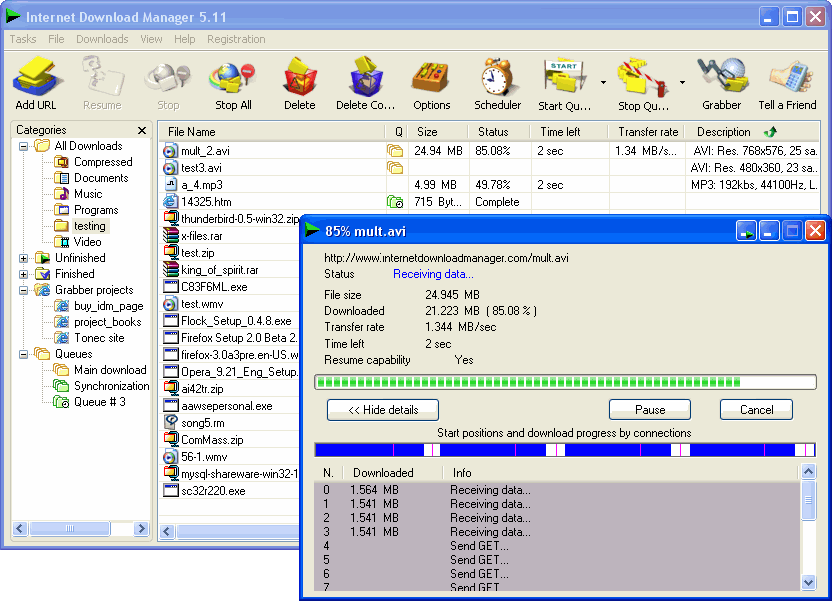
The Benefits Of CRM Software
CRM software, often called customer relationship management software, is becoming much more popular today than it was in years past. One reason for this is that more people understand what the software is and are deciding to use it. Another reason is that the software is getting better and easier to use. It has more features and benefits than it did in the past, and it is also becoming more user-friendly, which is very important. More people today are using the Internet for their businesses. As this trend continues to grow, there will be a larger need for CRM software, but only if it is found to be useful and compatible with the needs that a business owner or manager has.
There are a lot of benefits to CRM software, as well. Managers can use this software to keep track of their customers and vendors and organize them in many different ways. It is unfortunate that so many people only think of CRM software as being a datebook or contact-recording type of software. It does handle these functions, but it does a great deal more than that, which is something that many business people fail to realize today when they are presented with CRM software. This CRM software can be used to record names and dates. However, it also keeps track of sales, returns, important dates such as birthdays and anniversaries. In addition, it can help to remind salespeople of their prior commitments. This keeps them from missing deadlines, meetings, the returning of phone calls, or anything else that will affect the perception of them that their clients have.
Naturally, not missing deadlines is vital to a good business relationship. In addition, the CRM software can help a client feel as though he or she matters to a business. When a client feels important and valued, repeat business is much more likely than it would otherwise be. This is great for the business, but it is also good for the clients, because everyone in the relationship benefits from the efficiency that CRM software helps to create. Without CRM software, there is a good chance that there will be more problems in the interactions that are needed between clients and businesspeople. This is not to say that CRM software eliminates all chance of problems, but it does reduce them.
Those who use CRM software can also be more organized, because it is easier for them to find what they need when it comes to their customers, their vendors, and anything else that they need to keep close track of. It allows them to return calls more promptly, send out birthday cards, and keep customer information stored in a database where it can easily be retrieved by anyone who has authorized access to it. The main benefit to customers is that almost anyone in the company can help them, at least to some degree, because they can get to their information. This benefit of CRM software is the most important one because of the ability to let customers know that they are important to the company.
There are a lot of benefits to CRM software, as well. Managers can use this software to keep track of their customers and vendors and organize them in many different ways. It is unfortunate that so many people only think of CRM software as being a datebook or contact-recording type of software. It does handle these functions, but it does a great deal more than that, which is something that many business people fail to realize today when they are presented with CRM software. This CRM software can be used to record names and dates. However, it also keeps track of sales, returns, important dates such as birthdays and anniversaries. In addition, it can help to remind salespeople of their prior commitments. This keeps them from missing deadlines, meetings, the returning of phone calls, or anything else that will affect the perception of them that their clients have.
Naturally, not missing deadlines is vital to a good business relationship. In addition, the CRM software can help a client feel as though he or she matters to a business. When a client feels important and valued, repeat business is much more likely than it would otherwise be. This is great for the business, but it is also good for the clients, because everyone in the relationship benefits from the efficiency that CRM software helps to create. Without CRM software, there is a good chance that there will be more problems in the interactions that are needed between clients and businesspeople. This is not to say that CRM software eliminates all chance of problems, but it does reduce them.
Those who use CRM software can also be more organized, because it is easier for them to find what they need when it comes to their customers, their vendors, and anything else that they need to keep close track of. It allows them to return calls more promptly, send out birthday cards, and keep customer information stored in a database where it can easily be retrieved by anyone who has authorized access to it. The main benefit to customers is that almost anyone in the company can help them, at least to some degree, because they can get to their information. This benefit of CRM software is the most important one because of the ability to let customers know that they are important to the company.
5 Powerful And Free Methods That I Use To Speed Up My PC
Many of my friends say that I am obsessed with techniques on how I can speed up my PC.
Whether I’m doing some work with Adobe Photoshop, Adobe Illustrator, and Adobe InDesign all running at the same time, or whether I’m playing Gears of War while World of Warcraft in windowed mode is minimized, I always want my PC to perform as fast as possible. Yes, I am a speed junkie. I easily get frustrated with the slightest hint of a load time.
Hence, I am always on the lookout for ways to speed up my PC.
Here are 5 such methods that I use to speed up my PC and to ensure that it will always run at optimum performance with very minimal hiccups.
Speed Up My PC, Technique No. 1: Download The Latest Drivers
The physical components of your PC stay the same, unless you remove and replace them. But the software they run? They constantly change. The programs sold today will fall pale in comparison with the programs that will be made available next week. The websites we visit will evolve based on the internet technology that will be introduced.
And how are our systems supposed to cope up?
When I want to speed up my PC, the first thing I do is to download the latest drivers for the physical components of my rig. Graphic card, motherboard, modem… you name it, I download it! I make sure that nothing but the latest driver is installed in my system.
Speed Up My PC, Technique No. 2: Keep Your Registry Squeaky Clean
Does it take forever to boot up your system? Chances are, your registry is bogged down by useless leftover files from the programs you have installed, even if you have already uninstalled them.
Whenever I want to speed up my PC, I open my favorite registry cleaner to scan my system for some redundant, and sometimes harmful, leftover files. Then I let it do its thing, deleting the non-essential files whenever it could.
Reg cleaners really help speed up my PC, and there is no reason why they can’t help you speed up yours.
Speed Up My PC, Technique No. 3: Your System May Have Been Infected By Spyware And/Or Adware
Sometimes, slow boot up time and slow processing speed are caused by the infestation of spyware and/or adware in your system. Spyware and adware are forms of malware that surreptitiously find their way into your PC, often through the websites you visit or the email attachments you open.
If I am infected by spyware and/or adware and I want to speed up my PC, I simply open my most trusted spyware remover – Search & Destroy – a free utility that is powerful enough to wipe out all the known spyware and adware variations today.
Speed Up My PC, Technique No. 4: Scan For Viruses And Kill Them
Slow PCs may also be caused by viruses, the most popular of which are Trojans – wicked programs that keep hammering our systems their evil deeds.
There is only one way to determine the existence of a virus in your system, that is, by running a complete diagnostic scan using an anti-virus software. The best anti-virus software I can recommend is AVG, a free, open source program that is regularly updated with the latest virus descriptions which allows the program to run a really comprehensive examination of your system.
Thereafter, the anti-virus program will eliminate the threat and I’d be able to speed up my PC with no hassle at all.
Speed Up My PC, Technique No. 5: Defragment Regularly
One of the really under-appreciated features of a Windows-based PC is the Disk Defragmenter. Basically, the Disk Defragmenter will eliminate useless and redundant files in your entire system, not just your registry.
I swear to God, defragmenting your disk is THE best way to speed up my PC. Defragmenting may take a couple of hours or more, but the end result is very much worth it.
To access the Disk Defragmenter, go to START, then ALL PROGRAMS, then ACCESSORIES, then SYSTEM TOOLS, and voila! You’d be able to speed up your PC as efficiently as I can speed up my PC!
Whether I’m doing some work with Adobe Photoshop, Adobe Illustrator, and Adobe InDesign all running at the same time, or whether I’m playing Gears of War while World of Warcraft in windowed mode is minimized, I always want my PC to perform as fast as possible. Yes, I am a speed junkie. I easily get frustrated with the slightest hint of a load time.
Hence, I am always on the lookout for ways to speed up my PC.
Here are 5 such methods that I use to speed up my PC and to ensure that it will always run at optimum performance with very minimal hiccups.
Speed Up My PC, Technique No. 1: Download The Latest Drivers
The physical components of your PC stay the same, unless you remove and replace them. But the software they run? They constantly change. The programs sold today will fall pale in comparison with the programs that will be made available next week. The websites we visit will evolve based on the internet technology that will be introduced.
And how are our systems supposed to cope up?
When I want to speed up my PC, the first thing I do is to download the latest drivers for the physical components of my rig. Graphic card, motherboard, modem… you name it, I download it! I make sure that nothing but the latest driver is installed in my system.
Speed Up My PC, Technique No. 2: Keep Your Registry Squeaky Clean
Does it take forever to boot up your system? Chances are, your registry is bogged down by useless leftover files from the programs you have installed, even if you have already uninstalled them.
Whenever I want to speed up my PC, I open my favorite registry cleaner to scan my system for some redundant, and sometimes harmful, leftover files. Then I let it do its thing, deleting the non-essential files whenever it could.
Reg cleaners really help speed up my PC, and there is no reason why they can’t help you speed up yours.
Speed Up My PC, Technique No. 3: Your System May Have Been Infected By Spyware And/Or Adware
Sometimes, slow boot up time and slow processing speed are caused by the infestation of spyware and/or adware in your system. Spyware and adware are forms of malware that surreptitiously find their way into your PC, often through the websites you visit or the email attachments you open.
If I am infected by spyware and/or adware and I want to speed up my PC, I simply open my most trusted spyware remover – Search & Destroy – a free utility that is powerful enough to wipe out all the known spyware and adware variations today.
Speed Up My PC, Technique No. 4: Scan For Viruses And Kill Them
Slow PCs may also be caused by viruses, the most popular of which are Trojans – wicked programs that keep hammering our systems their evil deeds.
There is only one way to determine the existence of a virus in your system, that is, by running a complete diagnostic scan using an anti-virus software. The best anti-virus software I can recommend is AVG, a free, open source program that is regularly updated with the latest virus descriptions which allows the program to run a really comprehensive examination of your system.
Thereafter, the anti-virus program will eliminate the threat and I’d be able to speed up my PC with no hassle at all.
Speed Up My PC, Technique No. 5: Defragment Regularly
One of the really under-appreciated features of a Windows-based PC is the Disk Defragmenter. Basically, the Disk Defragmenter will eliminate useless and redundant files in your entire system, not just your registry.
I swear to God, defragmenting your disk is THE best way to speed up my PC. Defragmenting may take a couple of hours or more, but the end result is very much worth it.
To access the Disk Defragmenter, go to START, then ALL PROGRAMS, then ACCESSORIES, then SYSTEM TOOLS, and voila! You’d be able to speed up your PC as efficiently as I can speed up my PC!
The Different Between One Registry Cleaner Software And Another
Here’s a fact: 92% of computers run on Windows, and every 32-bit edition of Windows has a storage sector where options and settings are saved. This sector is called the registry, and it is one of the busiest databases in a computer. As such, it is one of the databases that are most susceptible to corruption and breakage. This is why the demand for an efficient registry fix is consistently high.
But there are many options on the internet when it comes to a quick registry fix.
Which is the best one? Which registry fix is worth the download? Which registry fix will provide the best results?
In this article, we will review five of the most popular registry cleaners available on the World Wide Web today. It is hoped that you, the reader, will be guided properly on how to choose the best registry fix for your needs.
Registry Fix No. 1: Stompsoft Registry Repair
Stomp is known as the most thorough and most aggressive registry fix in the market today. Where other registry fixers can only diagnose 50 to 70 registry-related errors, Stomp can pinpoint more than 700.
Is this a good thing or a bad thing?
Some say that Stomp merely counts errors in the registry that Windows will auto-correct eventually. Some say that Stomp merely looks for errors in places where files don’t really have a bearing on the processes conducted by the system.
Regardless, Stomp’s aggressiveness wouldn’t hurt, and at the end of the day, it’s still about how well the registry is fixed, and on this, Stomp has a pretty good record.
Registry Fix No. 2: CCleaner
Being a free registry cleaner, CCleaner has built a huge and solid following, with most of its patrons claiming that they have been using this registry fix as soon as it was released almost 5 years ago, and they have never looked for any other reg cleaner since then.
For a free registry fix, CCleaner’s features are simply amazing. CCleaner does things right. It erases the useless and redundant files in the registry, and it never meddles with files that may affect the performance of Windows.
And it is constantly updated! This is something that free registry fixes can seldom afford.
Registry Fix No. 3: Registry Mechanic
Registry Mechanic is likewise a stable registry fix. With the newest update, Version 6.0, Registry Mechanic is now capable of recognizing previously unrecognizable errors, and correcting the same, resulting in a cleaner, better performance for your Windows-based PC.
Many online authorities attest to the integrity of Registry Mechanic, mainly because of the aforementioned stability and consistency of this registry fix. This has created a wave of acclaim for the program, which has been translated to many downloads for the same.
Registry Fix No. 4: Registry First Aid
Speaking of acclaims, if the number of awards is to be used as gauge, then Registry First Aid should top this list.
Registry First Aid is a registry fix that boasts of a seamless cleaning process for your Windows operating system. It promises a stable program that will provide the registry fix you need fast and easy.
Registry Fix No. 5: Registry Medic
Registry Medic’s claim to fame, on the other hand, lies in three things: its amazing user-friendly interface, its powerful scan engine, and its ability to remove and immunize your system from spyware and malware infestation.
Registry medic is indeed more than just a mere registry fix. It aims to be a spyware cure and prevention solution as well, making it one of the top downloads of people who wish to speed up and protect the integrity of their PCs.
But there are many options on the internet when it comes to a quick registry fix.
Which is the best one? Which registry fix is worth the download? Which registry fix will provide the best results?
In this article, we will review five of the most popular registry cleaners available on the World Wide Web today. It is hoped that you, the reader, will be guided properly on how to choose the best registry fix for your needs.
Registry Fix No. 1: Stompsoft Registry Repair
Stomp is known as the most thorough and most aggressive registry fix in the market today. Where other registry fixers can only diagnose 50 to 70 registry-related errors, Stomp can pinpoint more than 700.
Is this a good thing or a bad thing?
Some say that Stomp merely counts errors in the registry that Windows will auto-correct eventually. Some say that Stomp merely looks for errors in places where files don’t really have a bearing on the processes conducted by the system.
Regardless, Stomp’s aggressiveness wouldn’t hurt, and at the end of the day, it’s still about how well the registry is fixed, and on this, Stomp has a pretty good record.
Registry Fix No. 2: CCleaner
Being a free registry cleaner, CCleaner has built a huge and solid following, with most of its patrons claiming that they have been using this registry fix as soon as it was released almost 5 years ago, and they have never looked for any other reg cleaner since then.
For a free registry fix, CCleaner’s features are simply amazing. CCleaner does things right. It erases the useless and redundant files in the registry, and it never meddles with files that may affect the performance of Windows.
And it is constantly updated! This is something that free registry fixes can seldom afford.
Registry Fix No. 3: Registry Mechanic
Registry Mechanic is likewise a stable registry fix. With the newest update, Version 6.0, Registry Mechanic is now capable of recognizing previously unrecognizable errors, and correcting the same, resulting in a cleaner, better performance for your Windows-based PC.
Many online authorities attest to the integrity of Registry Mechanic, mainly because of the aforementioned stability and consistency of this registry fix. This has created a wave of acclaim for the program, which has been translated to many downloads for the same.
Registry Fix No. 4: Registry First Aid
Speaking of acclaims, if the number of awards is to be used as gauge, then Registry First Aid should top this list.
Registry First Aid is a registry fix that boasts of a seamless cleaning process for your Windows operating system. It promises a stable program that will provide the registry fix you need fast and easy.
Registry Fix No. 5: Registry Medic
Registry Medic’s claim to fame, on the other hand, lies in three things: its amazing user-friendly interface, its powerful scan engine, and its ability to remove and immunize your system from spyware and malware infestation.
Registry medic is indeed more than just a mere registry fix. It aims to be a spyware cure and prevention solution as well, making it one of the top downloads of people who wish to speed up and protect the integrity of their PCs.
Authorised and Unauthorised Software
The bigger your business is, the harder it can sometimes be to keep an eye on what’s happening with your software.
All businesses need software for their computers; the type and amount of software programs required depends largely on the type of business being run and how large it is. But regardless of these issues the problem of whether your software is authorised or unauthorised can rear its ugly head in any business, and it’s important to have adequate measures in place to ensure that any problems associated with unauthorised software are kept to a minimum.
Many employees don’t recognise the problems that can occur when unauthorised software is introduced into the system. Of course the most pressing issue is that of keeping within the law; keeping a copy of the software locked up safely in your software library is perfectly acceptable, but installing that same software on half a dozen computers in a single office is most certainly not.
Unfortunately some employees are naïve when it comes to this kind of breach. It can be worth amending the staff handbook or guidebook to ensure that guidelines and advice regarding such matters are included there for them to read. Department memos and perhaps even training sessions to help raise awareness of these issues can also help to bring people in line with what’s required by law, and what’s required by the company as a whole.
Of course some employees will assume that they are doing the company a favor by using software in inappropriate ways. Why purchase more copies than you really need when one or two copies can be used to install the program throughout an entire office? Employees that take this line of thinking assume they are doing a good thing by saving the company money – not thinking ahead to the possible fines and fees associated with being caught.
The other main problem associated with using unauthorised software is the risk of introducing viruses and other unwanted ‘hangers on’ into the business systems. If an employee brings a copy of some software they have at home, or worse, accesses it from the internet, they are putting the safety of the whole company at risk.
It’s plain to see that using authorised software is the only safe and legal route to making sure you get the best from your computer system. The challenge is in making sure all staff members recognise and accept this same fact, and don’t do anything to jeopardise it.
All businesses need software for their computers; the type and amount of software programs required depends largely on the type of business being run and how large it is. But regardless of these issues the problem of whether your software is authorised or unauthorised can rear its ugly head in any business, and it’s important to have adequate measures in place to ensure that any problems associated with unauthorised software are kept to a minimum.
Many employees don’t recognise the problems that can occur when unauthorised software is introduced into the system. Of course the most pressing issue is that of keeping within the law; keeping a copy of the software locked up safely in your software library is perfectly acceptable, but installing that same software on half a dozen computers in a single office is most certainly not.
Unfortunately some employees are naïve when it comes to this kind of breach. It can be worth amending the staff handbook or guidebook to ensure that guidelines and advice regarding such matters are included there for them to read. Department memos and perhaps even training sessions to help raise awareness of these issues can also help to bring people in line with what’s required by law, and what’s required by the company as a whole.
Of course some employees will assume that they are doing the company a favor by using software in inappropriate ways. Why purchase more copies than you really need when one or two copies can be used to install the program throughout an entire office? Employees that take this line of thinking assume they are doing a good thing by saving the company money – not thinking ahead to the possible fines and fees associated with being caught.
The other main problem associated with using unauthorised software is the risk of introducing viruses and other unwanted ‘hangers on’ into the business systems. If an employee brings a copy of some software they have at home, or worse, accesses it from the internet, they are putting the safety of the whole company at risk.
It’s plain to see that using authorised software is the only safe and legal route to making sure you get the best from your computer system. The challenge is in making sure all staff members recognise and accept this same fact, and don’t do anything to jeopardise it.
Tuesday, November 25, 2008
Google Chrome - Review
Seeing how I haven't installed any beta software lately (yeah right), I figured I jump in with everyone else on the net and see what's up with Google's new entry in the browser market. If you haven't heard about Chrome yet, then just do a Google Search on it and you'll have plenty to read for the foreseeable future. The install was small 468k so the download was fast and the install took about 15 seconds so in well under a minute I went from "click" to "play". Not too shabby. So, if you too are interested in giving a new browser a shot, here are a few cool features that stick out

One box for everything
Web search. Web history. Address bar. Suggestions as you type. One unified box serves all your browsing needs.
My Take: This is VERY cool. Ever hated having to enter search terms in a separate edit box in the browser? Not any more, all the features are integrated into the single address/search/history/etc bar.
New Tab Page
Every time you open a new tab, you'll see a visual sampling of your most visited sites, most used search engines, and recently bookmarked pages and closed tabs. Other browsers
My Take: Been there, done that with IE8 and never really found a use for it although some might. There doesn't seem to be a way to configure this on or off but hopefully some day there will be an "about:blank" option for the new tab page.
Application Shortcuts
Use web apps without opening your browser. Application shortcuts can directly load your favorite online apps.
My Take: This feature has been available in FireFox for some time so nothing earth shattering here.
Dynamic Tabs
You can drag tabs out of the browser to create new windows, gather multiple tabs into one window or arrange your tabs however you wish -- quickly and easily.
My Take: This is pretty cool. There have been times I've wanted to re-organize my 30-tab browser session into a couple of windows and this would be a very easy way to do it.
Crash Control
Every tab you're using is run independently in the browser, so if one app crashes it won't take anything else down.
My Take: Not sure how I feel about this one. Each tab runs it's own process and already I've got 4 processes going each at about 30MB or memory usage. How is this going to scale for the 30+tab user. I like the crash protection but splitting windows up across process boundaries might be a better option unless they can reduce the memory footprint on each tab process.
Incognito Mode
Don't want pages you visit to show up in your web history? Choose incognito mode for private browsing.
My Take: This feature ROCKS! Ever worried about clicking on that link that your co-worked forwarded to you? Worry no longer, with Incognito mode, pages viewed will not appear in the browser history and they won't leave any other traces. Not that I would need that feature though...
Safe Browsing
Google Chrome warns you if you're about to visit a suspected phishing, malware or otherwise unsafe website.
My Take: Again, this is in all the other mainstream browsers out there so it's par for the course.
Instant Bookmarks
Want to bookmark a web page? Just click the star icon at the left edge of the address bar and you're done.
My Take: This will likely save the speed-bookmarker some time, but since I rarely create bookmarks I'm not sure how it will impact my day to day experience.
Importing settings
When you switch to Google Chrome, you can pick up where you left off with all the bookmarks and passwords from your existing browser.
My Take: Again, par for the course. They needed to do this to get folks to use it.
Simpler Downloads
No intrusive download manager; you see your download's status at the bottom of your current window.
My Take: This is another one that is awesome in my opinion. I HATE the downloads window with a passion so this will likely be a nice feature to avoid that extra popup hitting me in the face every time I download a file.
Developer Tools
Included in the menus, are the developer options of "View Source", "Debug Javascript", "Javascript console", and "Task Manager".
My Take: Since they wrote their own Javascript engine for this release, they better darn well have a Javascript debugger in there. The Task Manager (Shift+ESC) is a nice little feature that will show you the memory usage for each component in the Chrome environment (windows, tabs, plugins, etc). If you are big into stats, then check out the "about:memory" shortcut where you can get all the memory details of each of the tasks. With all this, it still falls way short of the WebDeveloper plugin for FireFox. Until more debugging tools come into play, it'll be hard to pry me from FireFox.
Configuration
The browser was built with simplicity in mind and there are only a very small set of configuration options to worry about.
My Take: In the configuration window there are 3 tabs with only a handful of settings total such as proxy server settings, search engine defaults, password preferences, and download locations. I say AMEN to this one as I find it hard to believe anyone needs all gazillion settings that are in IE and FireFox.
Final Thoughts
The best features by far are the Incognito Mode, Single Address/Search/History bar, and the new download manager. Oh, and it's pretty snappy to boot. But, to get me to switch full-time, there'll have to be some more developer tool integration. But, keep in mind that this is a beta project so I have high hopes that FireFox will finally have met it's match.

One box for everything
Web search. Web history. Address bar. Suggestions as you type. One unified box serves all your browsing needs.
My Take: This is VERY cool. Ever hated having to enter search terms in a separate edit box in the browser? Not any more, all the features are integrated into the single address/search/history/etc bar.
New Tab Page
Every time you open a new tab, you'll see a visual sampling of your most visited sites, most used search engines, and recently bookmarked pages and closed tabs. Other browsers
My Take: Been there, done that with IE8 and never really found a use for it although some might. There doesn't seem to be a way to configure this on or off but hopefully some day there will be an "about:blank" option for the new tab page.
Application Shortcuts
Use web apps without opening your browser. Application shortcuts can directly load your favorite online apps.
My Take: This feature has been available in FireFox for some time so nothing earth shattering here.
Dynamic Tabs
You can drag tabs out of the browser to create new windows, gather multiple tabs into one window or arrange your tabs however you wish -- quickly and easily.
My Take: This is pretty cool. There have been times I've wanted to re-organize my 30-tab browser session into a couple of windows and this would be a very easy way to do it.
Crash Control
Every tab you're using is run independently in the browser, so if one app crashes it won't take anything else down.
My Take: Not sure how I feel about this one. Each tab runs it's own process and already I've got 4 processes going each at about 30MB or memory usage. How is this going to scale for the 30+tab user. I like the crash protection but splitting windows up across process boundaries might be a better option unless they can reduce the memory footprint on each tab process.
Incognito Mode
Don't want pages you visit to show up in your web history? Choose incognito mode for private browsing.
My Take: This feature ROCKS! Ever worried about clicking on that link that your co-worked forwarded to you? Worry no longer, with Incognito mode, pages viewed will not appear in the browser history and they won't leave any other traces. Not that I would need that feature though...
Safe Browsing
Google Chrome warns you if you're about to visit a suspected phishing, malware or otherwise unsafe website.
My Take: Again, this is in all the other mainstream browsers out there so it's par for the course.
Instant Bookmarks
Want to bookmark a web page? Just click the star icon at the left edge of the address bar and you're done.
My Take: This will likely save the speed-bookmarker some time, but since I rarely create bookmarks I'm not sure how it will impact my day to day experience.
Importing settings
When you switch to Google Chrome, you can pick up where you left off with all the bookmarks and passwords from your existing browser.
My Take: Again, par for the course. They needed to do this to get folks to use it.
Simpler Downloads
No intrusive download manager; you see your download's status at the bottom of your current window.
My Take: This is another one that is awesome in my opinion. I HATE the downloads window with a passion so this will likely be a nice feature to avoid that extra popup hitting me in the face every time I download a file.
Developer Tools
Included in the menus, are the developer options of "View Source", "Debug Javascript", "Javascript console", and "Task Manager".
My Take: Since they wrote their own Javascript engine for this release, they better darn well have a Javascript debugger in there. The Task Manager (Shift+ESC) is a nice little feature that will show you the memory usage for each component in the Chrome environment (windows, tabs, plugins, etc). If you are big into stats, then check out the "about:memory" shortcut where you can get all the memory details of each of the tasks. With all this, it still falls way short of the WebDeveloper plugin for FireFox. Until more debugging tools come into play, it'll be hard to pry me from FireFox.
Configuration
The browser was built with simplicity in mind and there are only a very small set of configuration options to worry about.
My Take: In the configuration window there are 3 tabs with only a handful of settings total such as proxy server settings, search engine defaults, password preferences, and download locations. I say AMEN to this one as I find it hard to believe anyone needs all gazillion settings that are in IE and FireFox.
Final Thoughts
The best features by far are the Incognito Mode, Single Address/Search/History bar, and the new download manager. Oh, and it's pretty snappy to boot. But, to get me to switch full-time, there'll have to be some more developer tool integration. But, keep in mind that this is a beta project so I have high hopes that FireFox will finally have met it's match.
Subscribe to:
Posts (Atom)


